C3 CON Tools v4.0.0 [01/25/18]
Tagged: costco pharmacy cialis prices
- This topic has 1,149 replies, 4 voices, and was last updated 2 years, 11 months ago by
fungusDig.

-
AuthorPosts
-
June 17, 2013 at 2:55 pm #401553
 espherParticipantI’ll have to look at how to merge midi files before I can guarantee that I can do that though. Its a bit different tham anything I’ve done so far.
This was one of the hurdles I ran into, though I didn’t dig especially deep. If you find a good way to get this working throw me some source, because I’d love to build an “ugprade builder” to let people build upgrades piecemeal from harmonies, drums, variants, pro keys/guitar, rather than having to issue seven hundred different subfolders/combinations.
June 17, 2013 at 3:46 pm #401561 columbo777MemberI’ll have to look at how to merge midi files before I can guarantee that I can do that though. Its a bit different tham anything I’ve done so far.
Also, you may have to check that the upgrades don’t already exist and you are just over-writing them. for example, I just upgraded all the Beatles PRO files and I want to update the CON files where the PRO is already there.
I’ll take whatever you can do!
June 17, 2013 at 6:33 pm #401573 mrmet2087Participant
Hey trojan thanks for the tips on the other forums with lefluffie. is it possible to change in-game album art using the songs.dta in notepad or no?
June 17, 2013 at 6:55 pm #401574 TrojanNemoParticipant
the songs.dta file does not have anything to do with album art.
that’s going to be under Root -> songs -> songname ->gen. it’s the songname_keep.png_xbox file. just right click and replace with another png_xbox file. you can use LeFluffie’s own Album Art Converter to go from JPG/BMP/PNG to png_xbox, but first make sure that album isn’t already in the game, and if so, try to use whatever it is already being used so that it matches nicely in game.
even if it looks like exactly the same to you, if you run a BMP/JPG/PNG through Magma or through the converter it will never look exactly like the other png_xbox images unless those were also converted through the same process. if it’s official HMX converted by harmonix, and your album art is converted on your computer using lefluffie or magma, it won’t match. never. so the best bet is to just extract that png_xbox file and put it in your con as is, without converting.
June 17, 2013 at 7:21 pm #401576 galexioMember
Say, what’s this edit I heard about for Magma V2, where HMX mandated that Easy and Medium MUST use the Blue and Orange notes for guitar/bass, otherwise Magma won’t spit out an RBA?
Any way to work that issue?
June 17, 2013 at 7:49 pm #401577TrojanNemoParticipantThats not quite correct. RBN2 rule is if expert has any given color, all lower difficulties must have at least one note in each color. But if expert only has green red yellow blue but no orange…easy doesnt need it. If that makes sense.
As far as what to do about it…go to the magma c3 thread and read the last 2 or 3 posts in that thread.
June 21, 2013 at 1:45 am #401832 Jerry1gmanParticipant
Is it possible to repackage a rb3con_extracted folder? I tried moving it into the input folder several different ways. I could of sworn that it was in the help pdf, but I cant find it in there again. There must be something simple I am overlooking.
June 22, 2013 at 5:00 am #401925mrmet2087ParticipantQuestion about Genre changing in LeFluffie DTA files for songs. I plan on doing a ton of video game related themes. If I change the genre to “video games” in the DTA file and load it into the con, will RB3 pick that up and add that Genre or no?
June 22, 2013 at 8:02 am #401926 OddbrotherParticipantQuestion about Genre changing in LeFluffie DTA files for songs. I plan on doing a ton of video game related themes. If I change the genre to “video games” in the DTA file and load it into the con, will RB3 pick that up and add that Genre or no?
They will not. Officially, “video games” is not a music genre.
“Pop/Dance/Electronic”, “Novelty” or “Other” would be your best choices.
June 22, 2013 at 8:23 am #401927mrmet2087ParticipantI usually do novelty for them, but I wasn’t sure if the game would read it if I entered it in there or not and add it to the in game list. But thanks for clarification on that.
July 3, 2013 at 12:25 am #402619TrojanNemoParticipanthere’s a little teaser of what’s coming up in Le Fluffie for RB3 v1.4

there’s quite a few new buttons and knobs…want to guess what each thing does?
July 3, 2013 at 2:54 am #402623OddbrotherParticipantthere’s quite a few new buttons and knobs…want to guess what each thing does?Maybe that’s a new feature I should suggest for the forums: annotating images with comments that show up when you put your cursor over them.
Means more work to even bother typing in a comment, but hey. People are unpredictable.

I’ll just say I’m looking forward to this and learning the new features as I go when it releases and gets used.
 ” src=”/wp-content/uploads/invision_emoticons/default_SA_biggrin.gif” />July 3, 2013 at 3:00 am #402624TrojanNemoParticipant
I seriously got lost in that post. I have no clue what you’re talking about
” src=”/wp-content/uploads/invision_emoticons/default_SA_biggrin.gif” />  ” src=”/wp-content/uploads/invision_emoticons/default_SA_biggrin.gif” />July 3, 2013 at 3:48 am #402625Jerry1gmanParticipant
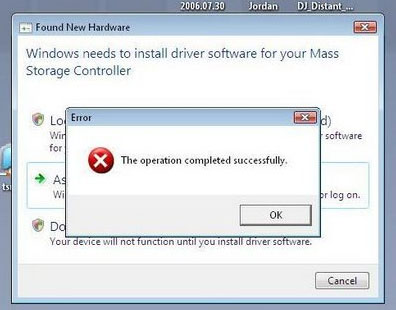
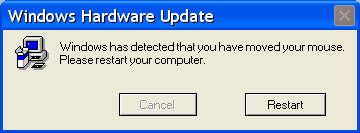
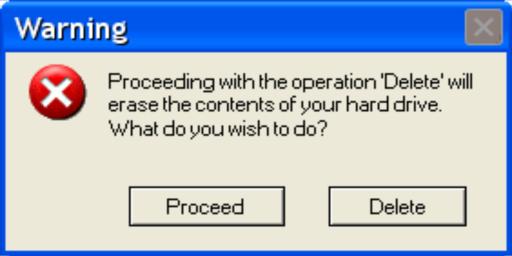
I am going to go out on a limb and predict the following popup dialogs.
 July 3, 2013 at 3:53 am #402626OddbrotherParticipant
 -
AuthorPosts
- You must be logged in to reply to this topic.